
Resume review,
scored and structured.
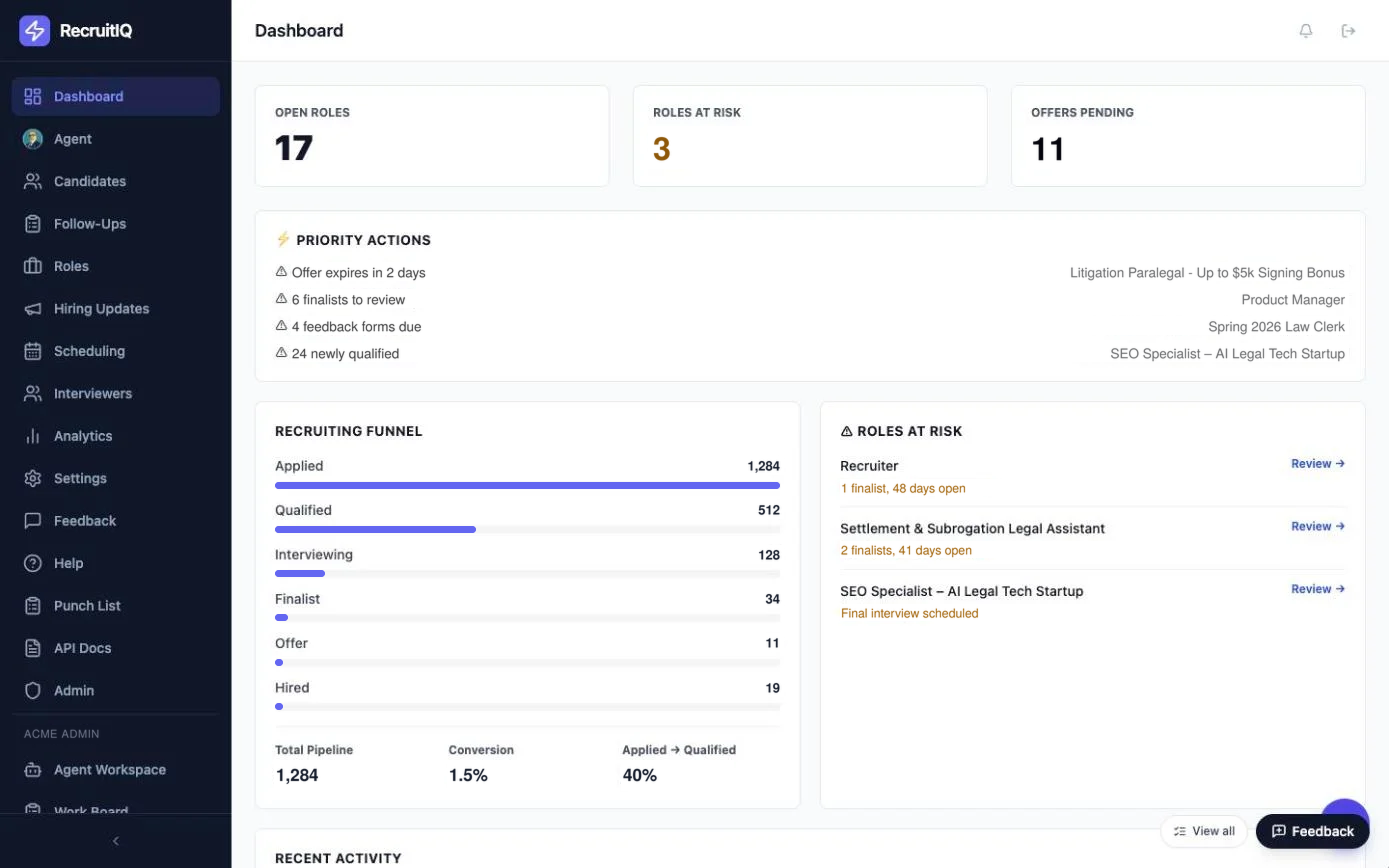
RecruitIQ pulls in applicants from your job posting platform, scores each resume against the role's own weighted scorecard, and keeps screening, interviews, scheduling and reporting in one place.
for every role
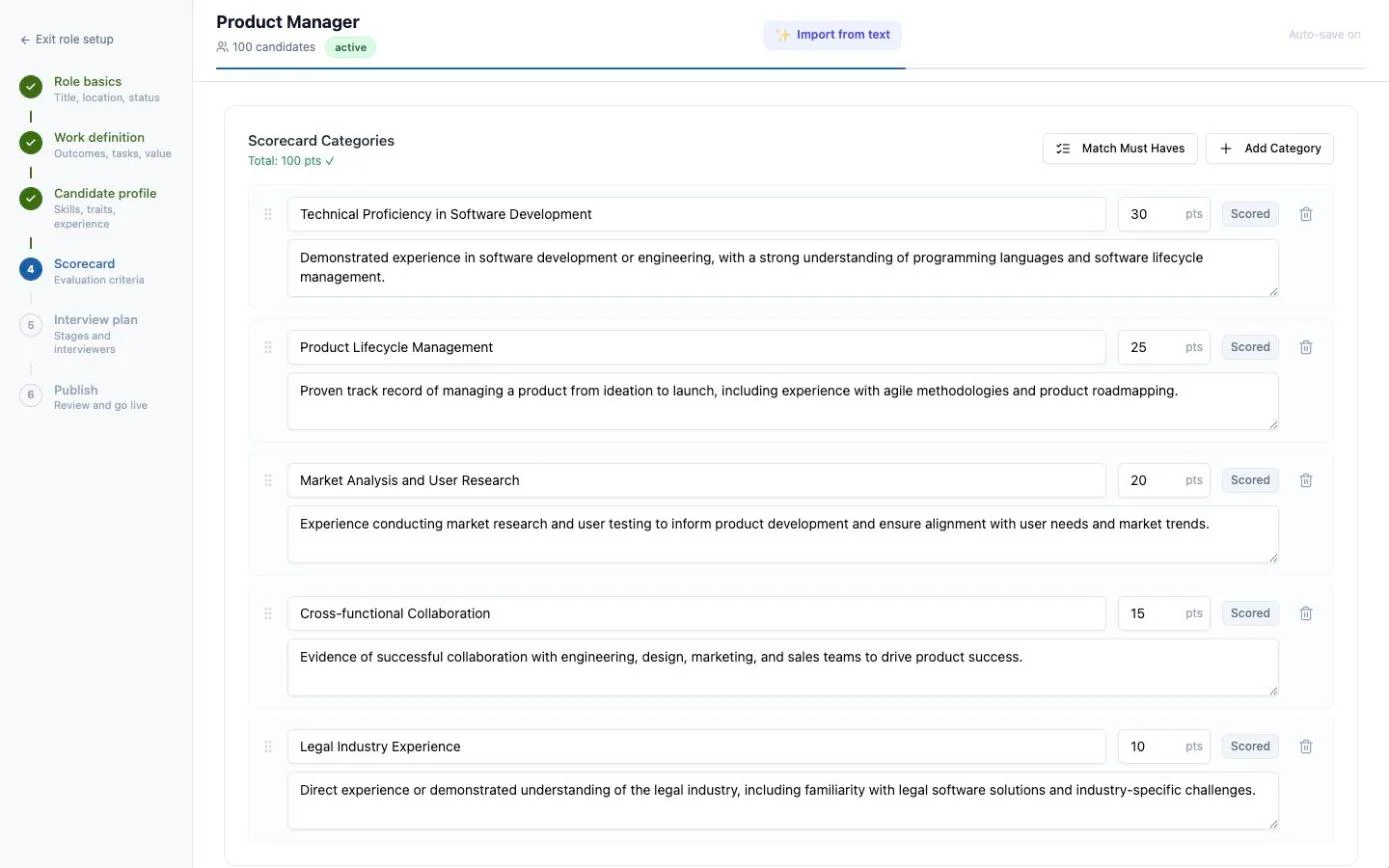
Each role gets its own scorecard of weighted categories, so every applicant is measured the same way.
Consistent screening
Must-haves, eliminators and nice-to-haves set per role and checked on every resume.
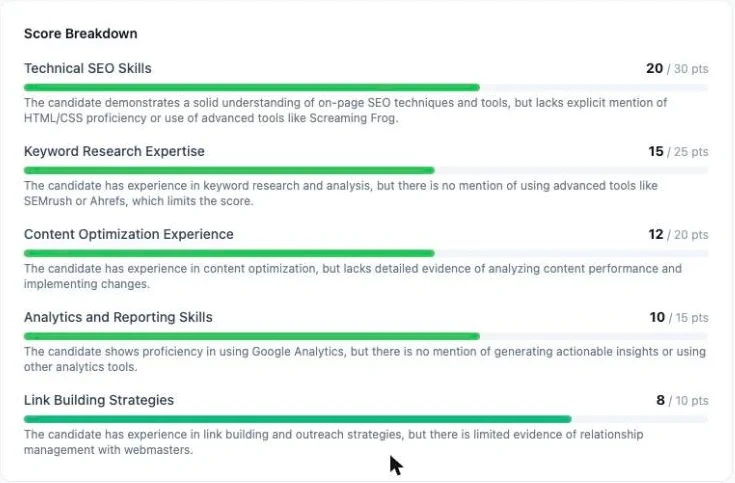
Explainable scores
A written rationale for every scorecard category, plus Yes/No/Unsure answers for each criterion.
One pipeline
Intake, triage, interviews, scheduling and reporting in a single workspace.
Full audit trail
Activity, scoring and sync logs, plus a full data export.
From open role to offer,
step by step
Set up the role
A six-step wizard covers basics, work definition, candidate profile, scorecard and interview plan.
- Weighted categories totalling 100 points
- Required, disqualifying and nice-to-have criteria
Let RecruitIQ score every applicant
Applicants sync from your job posting platform or are uploaded by hand. Each resume is scored against the role's scorecard and placed in a bucket: Strong Yes, Yes, Maybe, Weak Maybe or No.
- A written rationale for each category
- Bucket thresholds set per role
One workspace, every role,
every candidate
Screening
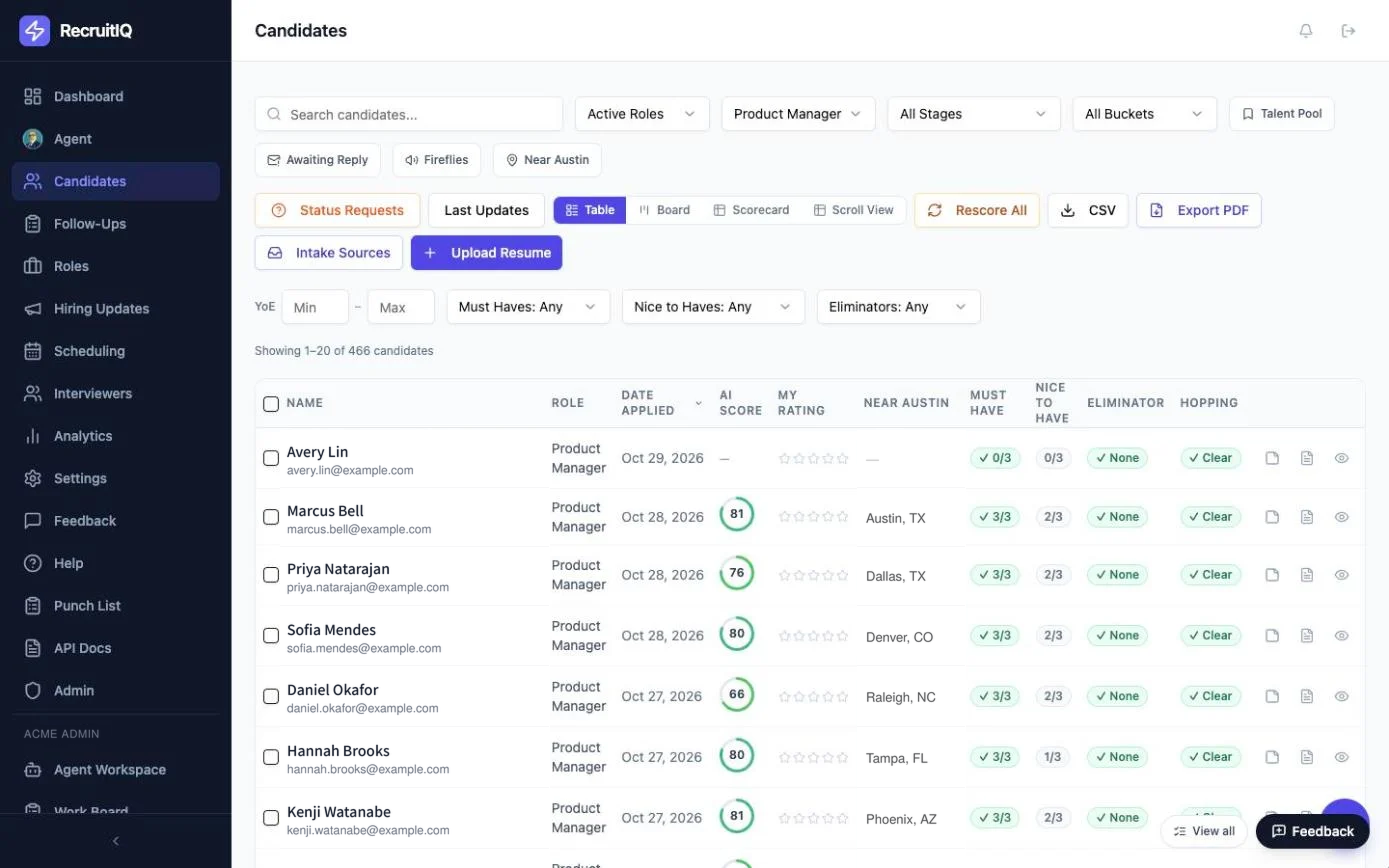
Table, Board, Scorecard and Scroll views with filters by role, stage, bucket and criteria.
Learn moreInterviews & Scheduling
Interview stages per role, interviewer availability, and candidate scheduling links.
Learn moreAI Agent
Ask about candidates, roles or interviews in plain language. Records are updated only with your approval.
Learn moreSee every candidate the same way.
Book a DemoEvery candidate. Same scorecard. Clear reasons.
Simple pricing that scales with your hiring
AI candidate scoring is included in every plan. Start with a 14-day free trial, no credit card required.
Starter
For small hiring teams
14-day free trial · No credit card needed
- 2 users
- 5 active roles
- 500 candidates scored per month
- AI candidate scoring and A/B/C grading
- Role rubrics
- Pipeline and funnel dashboard
- Duplicate detection
- Candidate data export and deletion
Growth
For growing firms and HR teams
14-day free trial · No credit card needed
- 10 users
- 20 active roles
- 2,500 candidates scored per month
- AI candidate scoring and A/B/C grading
- Role rubrics
- Pipeline and funnel dashboard
- Duplicate detection
- Candidate data export and deletion
Firm
For high-volume hiring
14-day free trial · No credit card needed
- 25+ users
- Unlimited roles
- 10,000+ candidates scored per month
- AI candidate scoring and A/B/C grading
- Role rubrics
- Pipeline and funnel dashboard
- Duplicate detection
- Candidate data export and deletion
Need more candidates? Additional candidates are $0.40 each. Every plan includes a 20% fair-use buffer before any overage. Cancel anytime on monthly plans.
Billing questions
Each applicant you score in a month counts once, however many roles they apply to.
Frequently Asked Questions
An administrator creates each account and assigns a user or admin role. Only emails on your company's domain can be added.
Ready to review candidates in RecruitIQ?
See RecruitIQ on your own roles. Book a 30-minute walkthrough and we'll show you how it fits your hiring process.
- Weighted scorecards for every role
- Scores with written reasons
- Screening, interviews and analytics in one place